

online video course
iPad pedalboard
All the effects you want.
Easy to combine and control.

2 150 000 views on YouTube | 25 500 subscribers | 1700 online students worldwide
Not sure what an iPad-based rig looks like?
This video has been watched over 650 000 times. It's the best place to start:
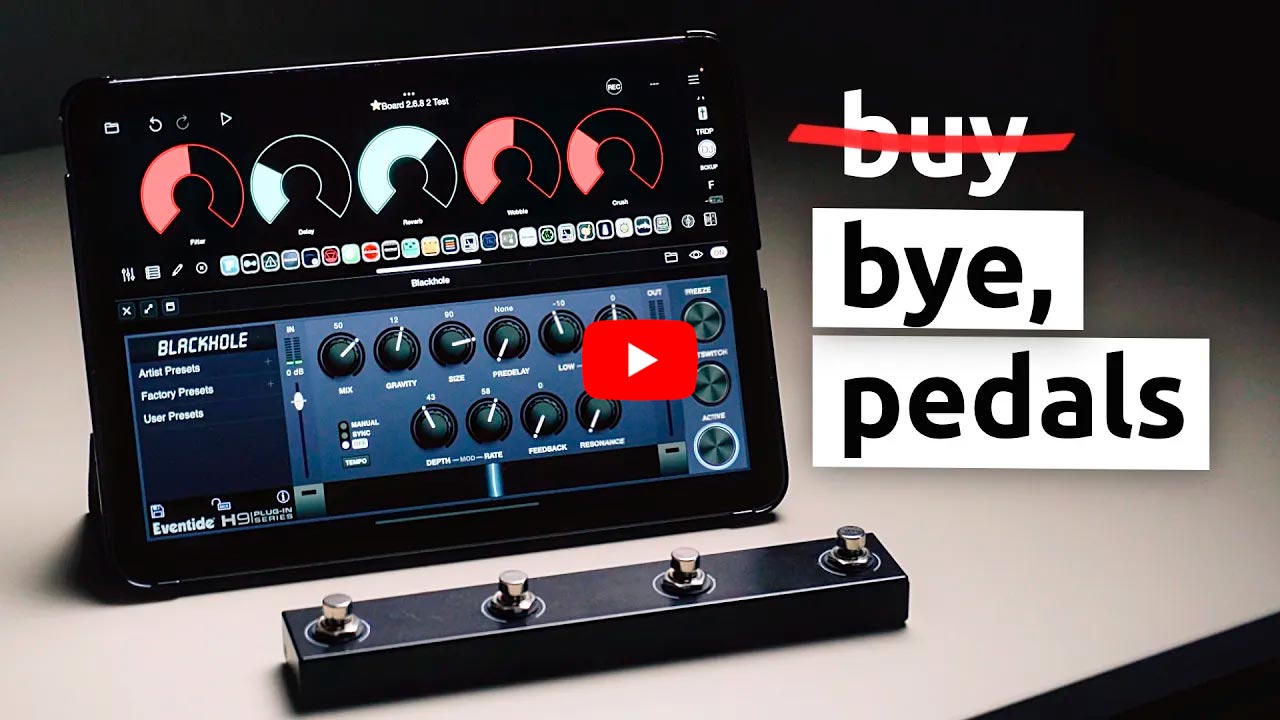
I've been performing live with an iPad for almost 2 years.
This course is everything I know about building a guitar rig on iOS.
From first setup to something you can actually take on stage.
This course is for you if you're:
guitar player
at home
You want to explore effects without spending a lot on gear. A decent delay plugin costs $7. A reverb, maybe $8. And it's on your iPad in 30 seconds
performing
artist
You want to leave the heavy board at home. You need something reliable and easy to carry. Including on flights
switch from
hardware pedals
You know your signal chain, you've spent too much on gear, and now you're curious if there's a better way. There is. And a lot of it will feel familiar
guitar player
at home
You want to explore effects without spending a lot on gear. A decent delay plugin costs $7. A reverb, maybe $8. And it's on your iPad in 30 seconds
performing
artist
You want to leave the heavy board at home. You need something reliable and easy to carry. Including on flights
switch from
hardware pedals
You know your signal chain, you've spent too much on gear, and now you're curious if there's a better way. There is. And a lot of it will feel familiar
The thing about traditional pedalboards...

They look cool. But building one is expensive, and it never really feels finished.
You buy a delay. Then you want a reverb. Then a better reverb. Then you realise the power supply doesn't have enough outputs. Then there's a noise issue somewhere in the chain.
And if you want to try a new effect? Another pedal, another cable, another spot on the board to figure out...
An iPad changes that.
No cables between effects, no power issues to manage
And yes, it fits in a backpack 😉
Your new rig

Loopy Pro is an audio host for iPad/iPhone with a built-in mixer and custom control panel
Load any AUv3 plugin from the App Store, build your signal chain the way you want it, and control everything with a floor footswitch.
A delay that costs $300 as a pedal? There's an iOS version for $7. You don't wait for delivery either. Download it, open it, it's in your chain.
The iPad sits right in front of you at eye level. No bending down to tweak something between songs. Everything is on the screen, easy to see and easy to reach. And Loopy Pro handles live audio well. I've been using it on stage for almost 2 years and it's been solid.
This course shows you how to build that setup from scratch.
iPad Pedalboard: Essentials 🚀
4.5 hours · Works even if you've never opened Loopy Pro before

Your rig, step by step
Everything you need to build your iPad pedalboard from scratch, and nothing you don't. Which audio interface, which USB hub, which MIDI controller. You'll know what to buy before you spend anything, and you'll know why.
Loopy Pro as a pedalboard
Loopy Pro is built for loopers, but you're using it as a pedalboard. This section rewires how you think about it — mixer, signal chain, layout — so everything makes sense and you're not just guessing.
Your core tone
Before any effects, you need a base sound you actually like. You'll build it, save it as presets, and be able to switch between completely different sounds instantly. One preset system works across every plugin on your board.
Building a modular effects chain
Each effect lives in its own slot, independent from everything else. You can swap out your delay, change your reverb, or add a new plugin without touching the rest of your chain. The board grows with you without breaking what you already built.
Total control over your sound
Your floor controller does exactly what you need it to do and nothing more. Custom on-screen knobs, one button that sets up your whole sound for the next song, single tap and hold doing two independent things from the same pedal.
Live looping basics
A few lessons on how to integrate a looper into your pedalboard setup. Nothing complicated — record, play, stop, clear, all from one pedal. Enough to start jamming with your new tones right away.
Before you walk on stage
Mute, tuner, safety button, limiter on the master channel. One tap that prepares your whole rig before you go on. The small things that make the difference between a setup that holds up live and one that doesn't.
iPad Pedalboard: Complete 🔥
Everything above, plus another 5 hours of advanced lessons (9.5 hours total)

Multiple rigs in one project
You can have as many independent pedalboards as you want inside one project and switch between them instantly. Clean guitar, bass octave, ambient swells — each with its own full chain of plugins and settings. And because of the way Loopy Pro handles idle mode, the chains you're not using consume almost no CPU, so adding more doesn't cost you anything.
Send buses and tails
A bus channel lets you design your reverb or delay tail as its own separate thing, independent from your dry sound. You can shape it, saturate it, EQ it, without touching your guitar signal at all. One bus serves your guitar, your loops, and anything else you're running, so you build it once and it works everywhere.
Advanced MIDI pedal control
One pedal can do a lot more than toggle an effect on and off. You can make sounds drift in gradually over several bars instead of snapping on. You can hold a pedal to temporarily add something and have it disappear cleanly when you release. You can have single tap and hold do two completely independent things. All of this from the same floor controller you already have.
Cue mix and in-ears
Clean mix to the house, click track in your ears. You hear what you need to stay in time, the audience hears only the music.
Backing tracks
You can run backing tracks directly inside Loopy Pro alongside your live rig, with full volume control, EQ, and mixer integration. At home or on stage.
MIDI profiles
Different songs need different pedal assignments. Profiles let you switch the entire function of your floor controller in one tap, so the same four buttons do something completely different for the next song. You can also keep some buttons always stable and only change the ones that need to change.
Recommended gear

Audio interface
You'll need a USB audio interface to connect your guitar to the iPad. Any interface with at least one instrument input will work. In the course I go through what to look for and which ones I recommend.


Floor MIDI controller (footswitch)
You'll need a footswitch to toggle effects and control other functions inside Loopy Pro. If you don't have one yet, a great budget-friendly option to start with is the MVAVE Chocolate (just make sure to get the
standard version , not the Plus)
Headphones or Speakers
USB audio interfaces are built for flexible audio routing. So you can connect headphones, studio monitors, a PA system, or a guitar amp. Whatever you already have will work.

What people are saying:


Pricing (lifetime access)
iPad Pedalboard:
Essentials
$189
iPad Pedalboard:
Complete
$279
Includes Essentials
iPad Pedalboard:
Essentials
$189
iPad Pedalboard:
Complete
$279
Includes Essentials

I’ve done my best in creating my course. That’s why I can guarantee money-back. Try the course risk-free. If you're not satisfied within 14 days, get your money back, no questions asked. Just send an email to hello@loopymax.com
Course update!

1 more houre of content. 2 new videos!
The first one covers the hardware. The second is about my looper and the Loopy Pro project. There is a list of all the gear and plugins I use, with links, under each lesson.
This is a full, detailed walkthrough of my setup, from the guitar pickups and USB cables all the way to everything inside my current Loopy Pro project.
Every button, plugin, routing, the whole thing.
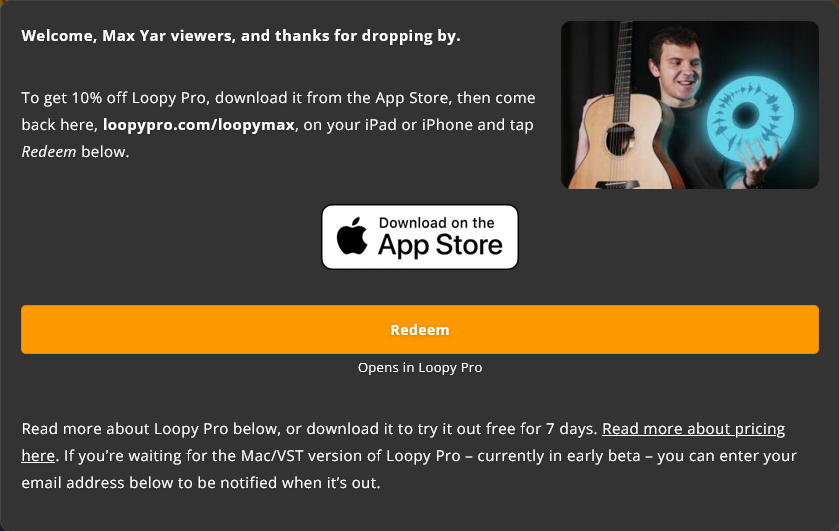
Get 10% off Loopy Pro
Unlock Loopy Pro app with my discount

Hi there! My name is Max (Maxim Yarushkin)
I've dedicated over 20 years to mastering the art of guitar playing with a primary focus on fingerstyle techniques. I have more than 10 years of experience teaching music, including 4 years of teaching live-looping.
I've recorded over 20 hours of educational content about Loopy Pro for my YouTube channel, Max Yar, my Patreon page and online courses. Besides, I offer personalized lessons. And I am a concert musician based in the north of England. Watch me on stage!
In addition, I have a separate project called GoFingerstyle with more than 260,000 subscribers! This channel dedicated to fingerstyle and contains over 50 hours of video lessons and guitar music.
More than 20,000 students around the world have already taken my courses and lessons. I hope to be a valuable resource for you too!
Thank you for your trust, and I look forward to seeing you in the lessons